28 May 2026
How to Make a Booking: Step-by-Step Guide
How to Make a Booking: A Step-by-Step GuideBooking your holiday is simple. Follow the steps below to complete your reservation online.
Step 1: Find Your Perfect HolidayBegin by selecting your preferred travel options:
- Hotel
- Departure Date
- Method of travel - Coach or Self Drive
- Pick-up Region (Route)
- Pick-up Point
If you require a single room, tick the
Single Room option.
Once your selections are complete, click
SEARCH.

Available holidays and room options will then be displayed:
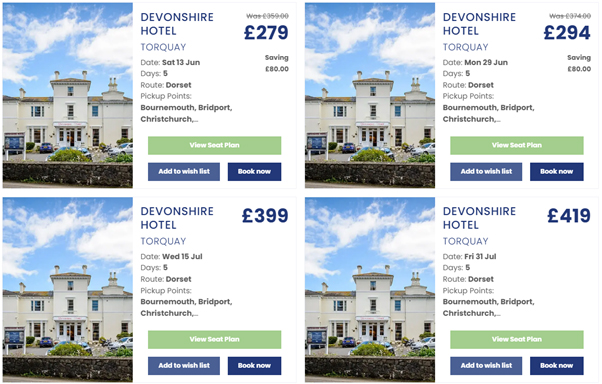
You can then click the green View Seat Plan button to see what seats are available on the coach. To save the holiday to come back to later, click Add to wish list. Or if you are ready to book then click the Book Now button.
Step 2: Choose Your Holiday and Room Configuration
Select the holiday you would like to book.
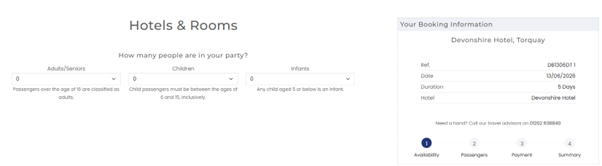
You will then be asked to choose the configuration for your party, for example:
2 Adults
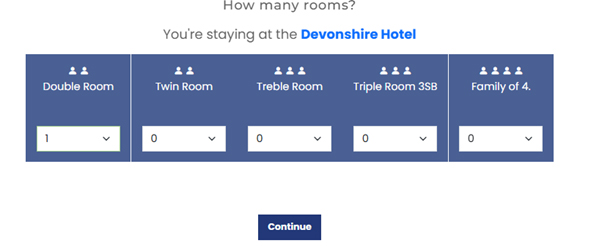
Available room types will appear based on availability.
Select the required number of rooms for your party. For example:
2 adults = 1 double room
If your preferred room type is not shown, it may no longer be available. Please contact the team on 01202 638840 to discuss alternative options.
Click Continue to proceed.
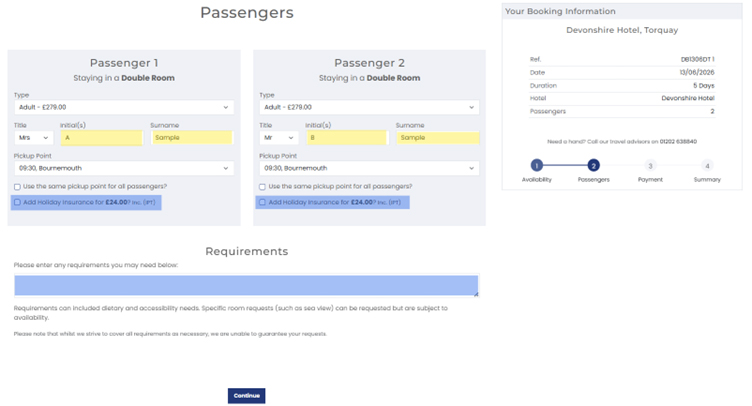
Step 3: Enter Passenger DetailsYou will now see the
price per person and can begin entering your details along with those of any additional guests.
At this stage, you can also:
- Add travel insurance
- Request special assistance
- Provide mobility requirements or special requests for example Walk in Shower or Low Floor (Please note these are unguaranteed requests)
Please note:
- Yellow fields = Mandatory
- Blue fields = Optional
Once completed, select
Continue.
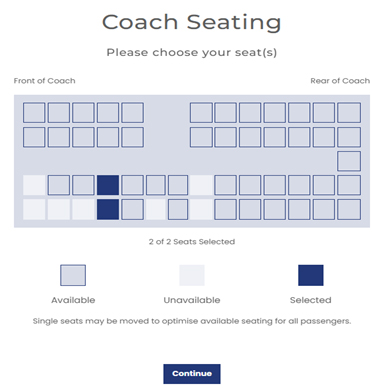
Step 4: Select Your Seats
Choose your preferred seats and click Continue.
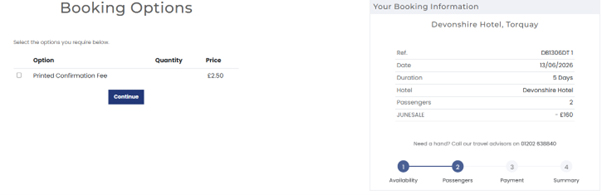
You can also choose how you would like to receive your confirmation:
- Email confirmation (free of charge)
- Printed copy (tick the option provided)
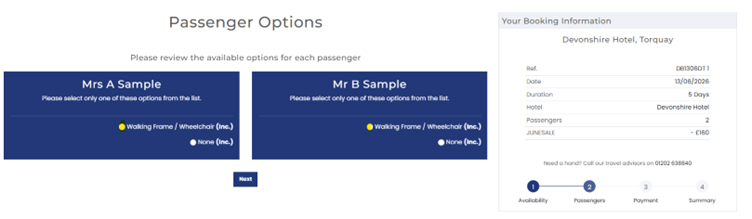
 Step 5: Mobility Requirements
If you need to bring a walking frame or wheelchair on to the coach then please select either:
- Walking Frame / Wheelchair
- None
If no assistance is needed, select None.
There is a limit to how many walking aids we can fit on the coaches, so if the option is not available we have reached our full allowance, please call us on 01202 638840 to discuss your options.
Click
Next.
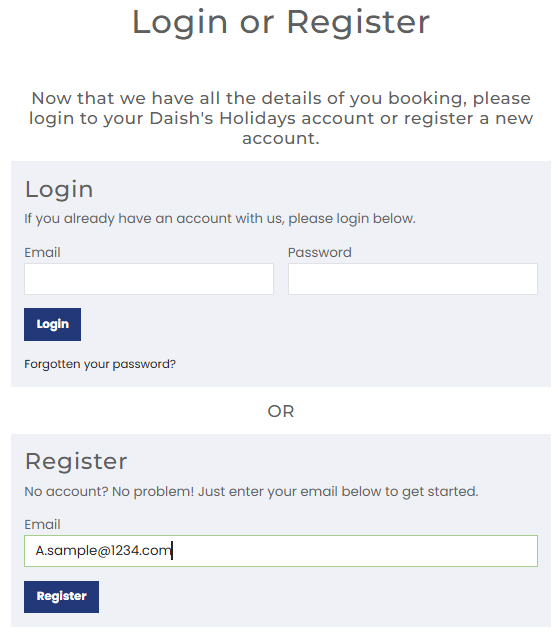
Step 7: Sign In or RegisterExisting customers can log into their account.
New customers, or those without an online account, should select
Register.
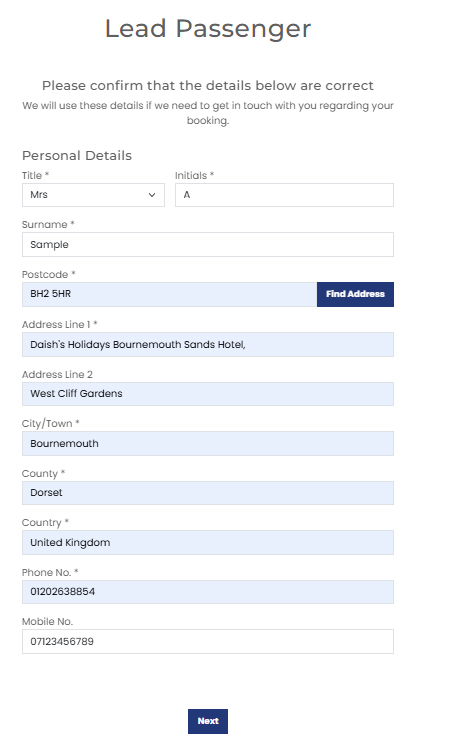
Once logged in, complete your personal details, including your name and address.
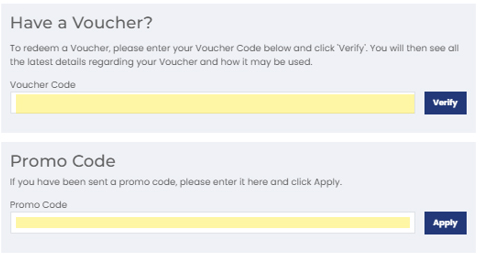
Step 8: Apply Vouchers or Promotional CodesIf you have a voucher, enter the code in the
Voucher Code field.
You can also add promotional codes, including:
- Super Saver offers
- Exclusive promotions
If the code is valid, a confirmation message will appear:
“
Promotion code has been applied”
The price will update automatically.
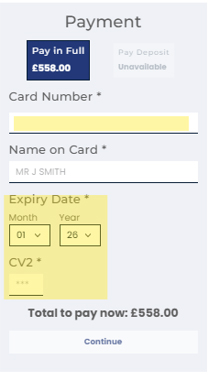
 Step 9: Payment
Payment options depend on how far in advance you are booking:
- More than 6 weeks before departure: £50 per person deposit available
- Less than 6 weeks before departure: Full balance required
Enter your card details and select
Continue.
You will have the opportunity to review everything before payment is taken.
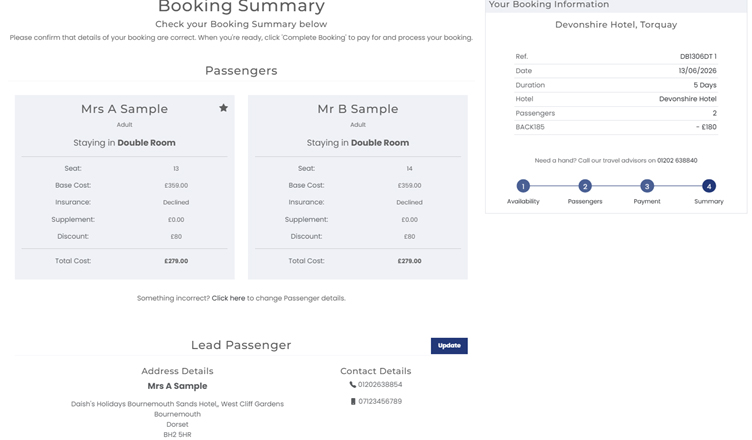
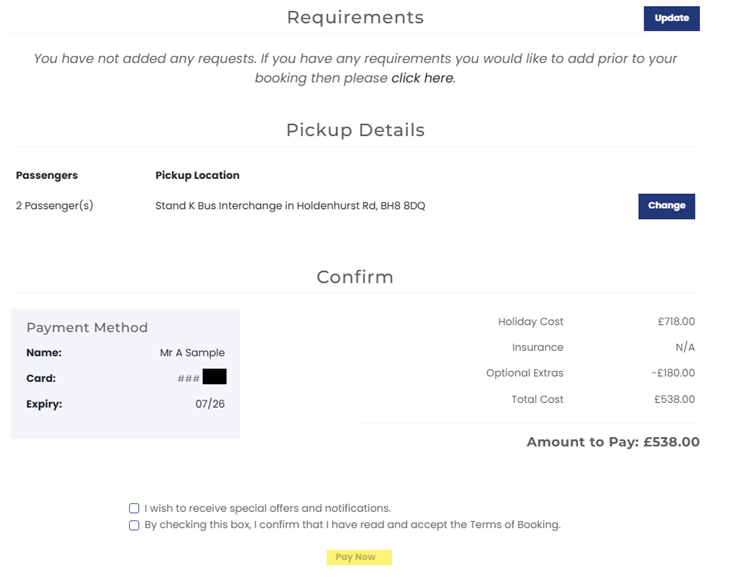
 Step 10: Final Review and Confirmation
Before completing your booking, you can amend:
- Lead passenger details
- Requirements and requests
- Pick-up information
Once everything is correct, select
Pay Now.
You will receive:
- Booking completion confirmation
- Email confirmation including your booking reference number
Please note: all bookings are checked by the Reservations team and remain
provisional until your
Booking Confirmation Invoice has been issued.
Need Assistance?If you need help with your booking or cannot find your preferred room option, contact the Reservations team on 01202 638840 for support.
